Global e-commerce continues expanding, bringing unprecedented convenience alongside sophisticated cyber threats targeting shoppers worldwide.
Practicing the strategies below will safeguard your money, personal data, and peace of mind whenever you purchase products or manage accounts online.
![Quick Meal Prep Tips for Busy Weeknights [PoS ES] [PoS JA]](https://trickism.org/wp-content/uploads/2025/04/4b92d7288f8c3e34a4ccd30706d8cd5d_Nestle-3-1-300x157.png)


Maintain a Secure Connection Everywhere
A hardened connection forms the initial barrier against data theft and account compromise.
Always confirm that every device handling sensitive transactions uses a trusted, up-to-date security suite and an encrypted internet link. Unsecured hardware or networks provide attackers direct access to financial credentials that should never be exposed.
- Activate a reputable firewall on every desktop, laptop, or smartphone you own.
- Ensure operating systems install patches automatically as soon as software vendors release them.
- Encrypt your home router with strong WPA3 protection and replace default administrator passwords immediately.
- Skip financial activity on public Wi-Fi, regardless of how convenient the lounge or café appears to be.
- Switch off Bluetooth and personal hotspots whenever they are not actively required by legitimate tasks.
Lock Accounts With Strong, Unique Credentials
Weak or reused passwords remain a primary entry point for attackers. A password manager generates and stores complex phrases so you never repeat credentials across sites. Aim for at least twelve characters with numbers, mixed-case letters, and symbols.
Whenever a retailer or bank offers multifactor authentication, such as SMS codes, authenticator apps, or hardware tokens, enable it immediately. Even if a criminal guesses or steals a password, the added factor stops unauthorized logins.
Quick reminder: disable browser autofill on shared or public computers. Those cached credentials can be harvested in seconds.
Use Modern Browsers and Trustworthy Websites
Current browsers embed security technologies that block known phishing pages and malicious downloads.
Running outdated software weakens defenses because legacy code often fails to understand modern attack techniques or certificate standards.
Upgrading the browser guarantees access to the latest sandboxing, anti-tracking, and encryption features built for today’s threat landscape.
- Schedule regular browser updates through official manufacturer channels or trusted sites like UpdateMyBrowser.org.
- Enable built-in phishing and malware warnings inside browser privacy settings for an extra protective layer.
- Check each URL manually, focusing on exact spelling and the legitimate top-level domain before clicking.
- Inspect the address bar for “https” and a padlock icon before submitting any credentials or payment details.
- Leverage Google Safe Browsing or equivalent reputation tools for an instant assessment of unfamiliar domains.
Strengthen Every Connection
A secure connection blocks thieves before money or data leave your device.
Modern operating systems, browsers, and security suites now ship with tools designed to stop malware and phishing in real time.
Keep them working by letting updates install as soon as they appear. If automatic updates are disabled, re-enable them in the settings menu and confirm your firewall is active.
- Encrypt your router. Switch to WPA3, create a complex passphrase, and change the administrator login to something other than the factory defaults.
- Skip public Wi-Fi for payments. Attackers can capture traffic on open networks long before you notice anything is wrong.
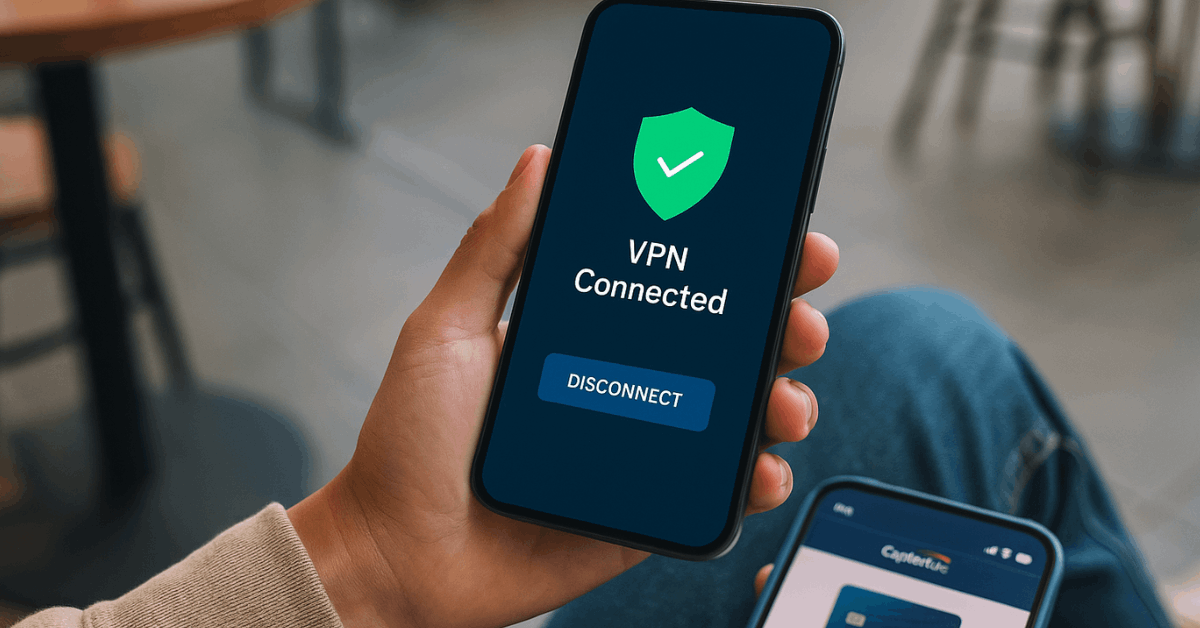
When travel forces you to buy or bank on unfamiliar connections, launch a reputable virtual private network (VPN) first. A VPN tunnels traffic through an encrypted channel, reducing the risk of interception on hotel or airport hotspots.
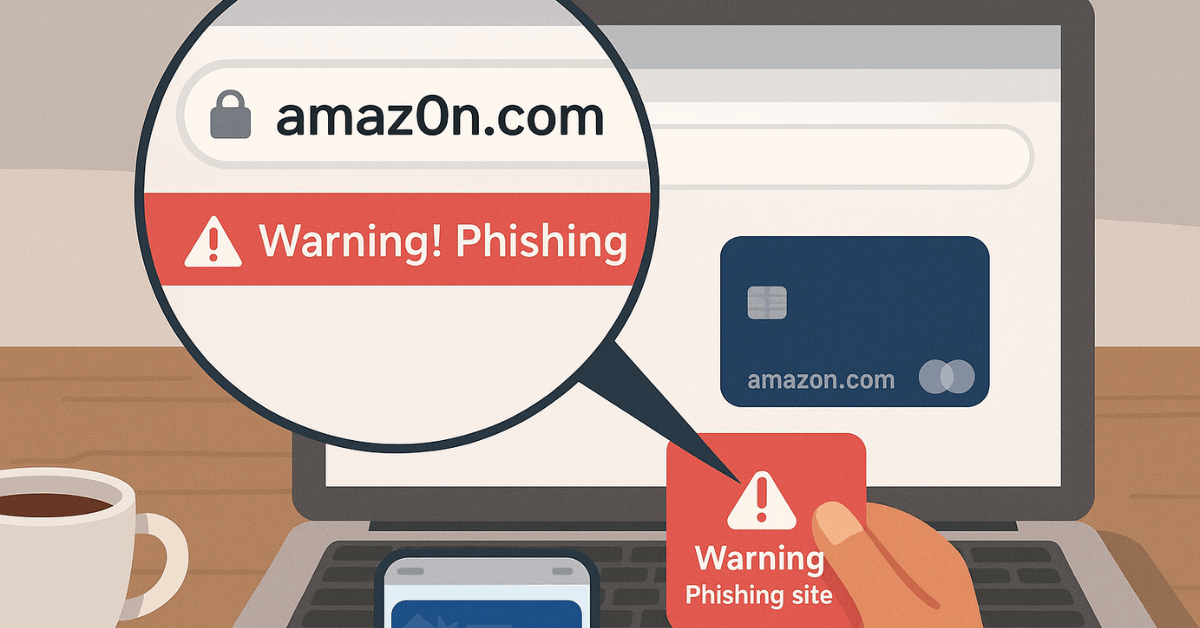
Recognize Fake Domain Tricks
Cybercriminals frequently register addresses that mimic major brands worldwide.
A single misplaced character might transfer you to a fraudulent storefront designed purely to steal card numbers or install malware.
Always slow down and read the line carefully before entering login information.
Research Merchants and Evaluate Reputation
Reliable retailers minimize risk and simplify dispute resolution when problems arise.
Investing a few minutes in background checks saves a lot of frustration later. Reading other customers’ reviews offers priceless insight into product authenticity, shipping reliability, and transparency of refund policies.
- Search independent review platforms for consistent, positive feedback before placing your order.
- Compare prices with established competitors; dramatic undercutting often signals counterfeit or stolen merchandise.
- Study shipping policies carefully, noting delivery windows, insurance coverage, and tracking availability.
- Verify physical contact details, such as support numbers or business addresses, that legitimate companies openly publish.
Shield Personal Information During Checkout
Limiting data exposure reduces the damage potential of any single breach.
Every online form requests details that might exceed genuine transaction requirements, and retailers sometimes share or sell excess information to third parties.
- Provide only a shipping address, an email, and a phone number when necessary for delivery updates.
- Reject requests for bank account numbers, government identification, or driver’s license details unrelated to the sale.
- Read privacy policies to confirm the retailer never sells or rents customer databases to outside marketers.
- Decline optional marketing surveys that capture interests or demographic data which can later fuel targeted scams.
Spot and Ignore Social-Engineering Traps
Criminals prefer manipulating emotions over cracking encryption. Watch for sudden deadlines, huge discounts, or urgent charity appeals that push you toward impulsive clicks. Trustworthy organizations rarely pressure you into immediate payment.
Signs an offer is likely a scam
- Significant price drop on a high-demand product with limited stock
- Payment requests through gift cards, cryptocurrency, or wire transfer only
- Pop-up windows demanding personal data before showing full deal terms
Simply closing the browser tab protects better than any antivirus tool in these scenarios.
Pay Smarter, Not Harder
Payment methods influence the degree of consumer protection available when fraud occurs.
Using the right card today can prevent considerable financial headaches tomorrow, especially for shoppers who order goods across borders.
- Choose a significant credit card or PayPal because both offer chargeback rights and proactive fraud monitoring systems.
- Keep one dedicated credit card exclusively for worldwide online spending to simplify account lockdowns if a compromise happens.
- Consider using virtual or reloadable cards that are unconnected to your primary checking account for added protection from unauthorized withdrawals.
- Evaluate terms surrounding gift cards, ensuring the recipient can redeem them without hidden geographic or service restrictions.
Build Strong and Unique Credentials
Robust credentials stop automated attacks that attempt to reuse stolen passwords across websites.
Creating secure logins takes minutes yet protects money for years, particularly when combined with additional verification layers.
- Generate passwords at least twelve characters long, mixing numbers, upper-case letters, lower-case letters, and special symbols.
- Avoid reusing credentials and use a reputable password manager to handle uniqueness without straining your memory.
- Disable browser features that store usernames or passwords on shared or public computers, as strangers can access them.
- Activate multifactor authentication wherever your bank or retailer supports it, including card readers, mobile tokens, or biometrics.
Safe Online Banking Essentials
Securing financial portals demands greater precision than ordinary retail transactions.
Online banks operate worldwide, yet every institution expects customers to share responsibility for digital hygiene.
- Access accounts only from personally owned devices that have current antivirus signatures and encrypted storage.
- Use the bank’s official mobile app or bookmarked domain instead of navigating through search results or email links.
- Sign up for real-time transaction alerts that flag any withdrawal or transfer immediately, enabling rapid containment.
- Never respond to unsolicited calls or texts requesting passwords, one-time codes, or personal identifiers that real banks already possess.
- Store physical authentication tools such as card readers or hardware keys in a location inaccessible to visitors or coworkers.
Monitor Accounts and Respond Immediately
Vigilant oversight turns minor irregularities into easy fixes rather than significant losses.
Frequent reviews help detect unauthorized activity before it causes substantial damage and support a quicker recovery with the card issuer.
- Compare digital receipts to monthly statements and dispute discrepancies without delay using official customer service channels.
- Forward suspicious messages to 7726 for texts or report@phishing.gov.uk for emails to assist global investigators curbing cybercrime.
- Keep PDFs or screenshots of every order confirmation, warranty notice, and correspondence in an encrypted cloud folder for reference.
- Contact your bank directly through verified phone numbers printed on cards or statements whenever anything appears abnormal.
Avoid Common Scams and Red Flags
Cybercriminals rely on emotional triggers such as urgency, scarcity, or huge discounts.
Training yourself to pause when confronted with extraordinary offers significantly reduces the likelihood of impulsive, high-risk actions.
- Ignore promotions promising luxury goods for minimal prices; legitimate suppliers cannot sustain such margins worldwide.
- Treat social media contests that require personal information for entry as data-harvesting schemes.
- Investigate charity requests claiming immediate disaster relief by confirming the organization through recognized watchdog sites.
- Steer clear of merchants demanding payment exclusively through wire transfers, gift cards, or cryptocurrency, because these channels lack recourse.
Protect Devices and Data in Public Spaces
Attackers often prefer social engineering or shoulder surfing over sophisticated code exploits.
Physical awareness complements technical safeguards during travel or shared computer sessions, helping to maintain confidentiality outside the home office.
- Position screens to prevent strangers from reading login information in airports, trains, or cafés.
- Lock devices whenever you step away, even for brief moments, such as ordering coffee or using the restroom.
- Use a reputable Virtual Private Network when circumstances force transactions over hotel, conference, or campus Wi-Fi networks.
- Decline prompts to install unfamiliar certificates or software when joining guest networks that you do not own.
Clean Up Digital Footprints Regularly
Periodic housekeeping removes residual data that intruders might harvest later.
Maintained browsers run faster while disclosing fewer secrets to anyone who gains temporary device access.
- Clear cache, cookies, saved forms, and history after concluding confidential tasks, particularly on borrowed machines.
- Log out of retailer or banking portals rather than simply closing the browser window to terminate active sessions.
- Configure the operating system to delete temporary files on shutdown for an additional automated security layer.
Conclusion
Online shopping and banking deliver incredible convenience, but they demand smart, consistent habits to stay safe.
Strengthening devices, scrutinizing merchants, protecting payment methods, and staying alert to scams all work together to build a robust defense against cyber threats.
Small actions taken today ensure that every digital transaction remains secure, letting you enjoy global e-commerce without sacrificing security or peace of mind.