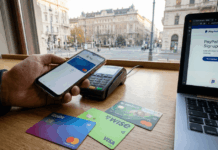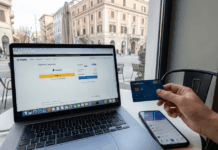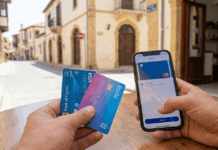
Zand Bank offers a fully digital banking experience designed for users who want to manage their finances online in the UAE.
This article explains how you can open a digital account and access the Zand Bank credit card in a clear and practical way.



You will learn what to prepare, how the application works, and what to expect after approval.
What Is Zand Bank and How Its Digital Model Works
Zand Bank operates as a digital-first bank in the UAE, leveraging technology to deliver banking services without physical branches.
Its model is designed to let you handle essential banking tasks remotely and efficiently.
- Zand Bank is a UAE-licensed bank that provides services through digital platforms.
- Account access and management are handled online using secure systems.
- Banking activities such as monitoring balances and managing cards are completed digitally.
- The digital model focuses on speed, convenience, and reduced paperwork.
Key Features of the Zand Bank Credit Card
The Zand Bank credit card focuses on simple, functional features that support daily spending and digital account control.
Each feature is designed to be easy to understand and manage.
- Digital Card Access – You can use the card digitally after approval without waiting for a physical card.
- Spending Controls – You can monitor and manage your card usage through your digital account.
- Transaction Alerts – You receive notifications for purchases to stay aware of your spending.
- Local and International Use – You can make payments in the UAE and abroad where the card is accepted.
- Security Protection – The card includes safeguards to help reduce unauthorized transactions.
Who Can Open a Zand Bank Digital Account
You can open a Zand Bank digital account if you meet the standard eligibility conditions for digital banking in the UAE.
- UAE Residency – You must legally reside in the UAE.
- Valid Identification – You need an accepted UAE-issued ID for verification.
- Minimum Age Requirement – You must meet the bank’s age requirement to apply.
- Active Mobile Number – You need a working UAE mobile number for verification and alerts.
- Email Address – You must provide an active email for account communication.
- Digital Identity Verification – You must complete the identity check through digital methods.

Information You Need Before Getting Started
Before starting the application, you should prepare the basic details required for setting up a digital account.
Having this information ready helps reduce delays during verification.
- Valid UAE Identification – Required to confirm your identity during onboarding.
- Active Mobile Number – Used for verification codes and account notifications.
- Email Address – Needed for account updates and official communication.
- Personal Details – Basic information such as name and date of birth.
- Financial Information – General details that may be requested for account assessment.
Step-by-Step Guide to Opening a Zand Bank Digital Account
Opening a Zand Bank digital account is completed through a guided online process designed to be simple and secure.
Each step focuses on verifying your details and activating your account digitally.
- Access the Official Platform – Visit the official Zand Bank digital platform to begin the application.
- Create Your Profile – Enter your basic personal and contact information.
- Submit Identification Details – Upload or scan your valid UAE identification.
- Complete Identity Verification – Follow the provided digital verification instructions.
- Review and Confirm Details – Check your information before final submission.
- Receive Account Confirmation – Wait for approval and account activation notification.
Applying for the Zand Bank Credit Card
After your digital account is active, you can request the Zand Bank credit card on the same platform.
The process is integrated into your account and follows a clear approval flow.
- Access the Credit Card Section – Open your digital account and navigate to the credit card option.
- Review Card Details – Check the available features, terms, and basic conditions.
- Submit the Card Request – Complete the credit card application using your existing account details.
- Complete Any Required Checks – Provide additional information if requested for assessment.
- Receive Approval Notification – Get informed once the credit card request is approved.
Credit Limit Assignment and Review
Your credit limit is assigned after the bank reviews your profile and submitted information.
The limit may be adjusted over time based on usage and account activity.
- Initial Assessment – The bank reviews the details you provided to set a starting limit.
- Account Activity Review – Your spending and repayment behavior may influence future changes.
- Income Information – Financial details help determine your borrowing capacity.
- Periodic Evaluations – The bank may review the credit limit at intervals.
- Adjustment Notifications – You are informed if your credit limit is increased or changed.
Interest Rates, Fees, and Common Charges
Using the credit card involves clearly defined charges that apply based on how you use the account.
The figures below reflect typical UAE credit card terms, but the exact rates are confirmed in Zand Bank’s official card agreement.
- Interest Rate – Interest on unpaid balances is typically around 2.99%–3.75% per month, depending on your profile.
- Late Payment Fee – A fixed late fee, often up to AED 230, may apply if the minimum payment is missed.
- Annual or Service Fee – Some card variants may carry an annual fee, while others may offer fee waivers based on usage or promotions.
- Foreign Transaction Fee – International purchases are usually subject to a foreign currency fee of around 2%–3% of the transaction amount.
- Cash-Related Charges – Cash withdrawals usually carry a 3%–4% fee or a minimum charge, with interest applied immediately.

Using the Credit Card in the UAE and Abroad
The Zand Bank credit card is designed for both local and international spending and complies with standard card acceptance rules.
Usage conditions may vary by country and transaction type.
- Local UAE Purchases – You can use the card at accepted merchants across the UAE.
- International Transactions – The card can be used abroad where the network is supported.
- Foreign Currency Conversion – Overseas purchases may be converted at applicable exchange rates.
- International Fees – Additional charges may apply for non-UAE transactions.
- Usage Monitoring – You can track local and international spending through your digital account.
Customer Support and Official Help Channels
Customer support is available through Zand Bank’s official channels, and using verified contact methods helps keep your account information secure and accurate.
- Official Website Help Center – Access FAQs, support articles, and help resources on Zand Bank’s official website.
- In-App Support Tools – Use built-in support features within your digital banking platform for guided assistance.
- Customer Service Phone – Call the Zand Bank contact center at 600-502-328 for direct support.
- Official Email Support – Contact support at customersupport@zand.ae for inquiries and assistance.
- Security and Fraud Reporting – Dedicated reporting can be submitted through the official site or support channels for suspicious activity.
The Bottomline
The Zand Bank credit card is designed for users who want a fully digital way to manage everyday spending in the UAE.
Understanding the account setup, card features, and potential charges helps you decide if it fits your financial needs.
Review the official Zand Bank terms and start your digital account application when you are ready.
Disclaimer
This article is for informational purposes only. Details may change, so always refer to Zand Bank’s official channels for the latest information.