In digital banking, the TymeBank Virtual Credit Card gives safe online payments, tap to pay on supported devices, and quick controls inside the app.
Card details live in software, not plastic, which lowers exposure on risky sites while keeping everyday checkout simple. Global Visa acceptance covers most merchants that process e-commerce and in-app purchases, including subscription services and travel platforms.



Across South Africa and beyond, shoppers want the speed of a card that works instantly without waiting for delivery. Activation inside the TymeBank app takes minutes, and adding the card to a supported wallet enables contactless in stores that accept NFC.
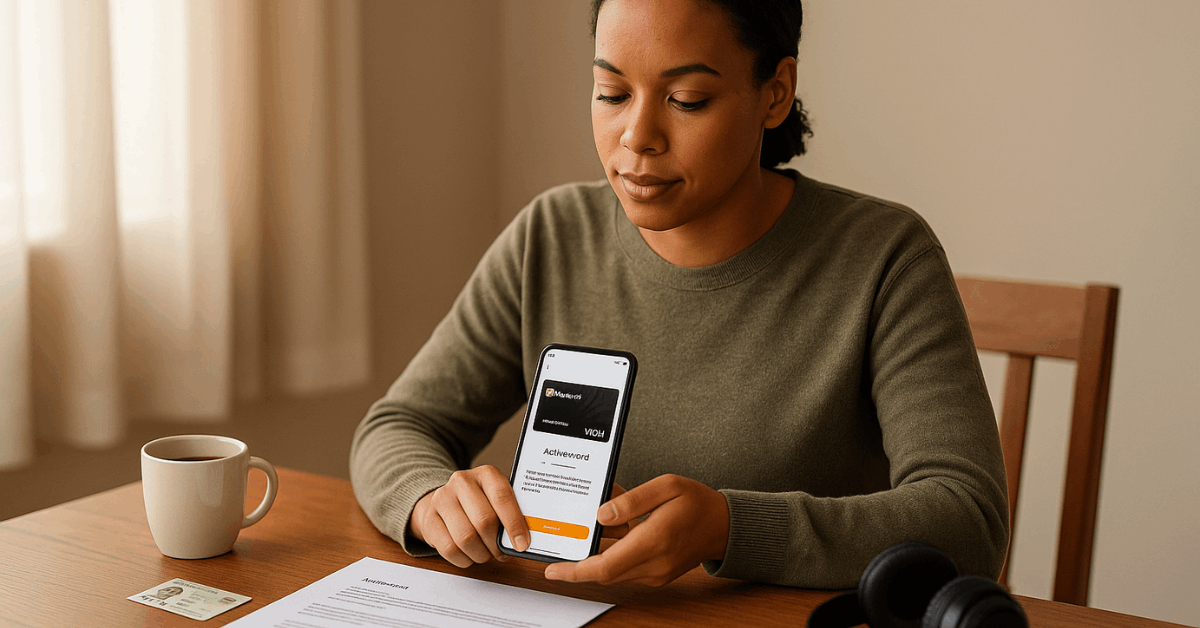
What The TymeBank Virtual Card Is
A TymeBank virtual card is a fully functional card profile available inside the app, showing its own card number, expiry, and CVV. Payments authenticate through 3-D Secure where required, protecting transactions on unfamiliar merchants and new marketplaces.
Issuance happens digitally, so there is nothing to lose, clone, or skim at a point of sale device. As a practical bonus, the virtual card can be locked, replaced, or deleted without touching the physical debit card that links to the Everyday Account.
Security features sit at the center. Temporary lock, card replacement, and per-transaction authentication reduce fraud exposure, especially when trial subscriptions or one-time travel purchases are involved.
Where It Works and What It Costs
For online and in-app payments, the virtual card behaves like any Visa card tied to the Everyday Account balance. At physical checkout, contactless works after adding the card to a supported wallet on a compatible device.
TymeBank communicates TymeBank digital wallet support across Google Wallet, Samsung Wallet, and Garmin where available in South Africa.
Apple Pay availability varies, and some help pages have indicated limited or no support for Apple Pay on the virtual card at times, so check the latest in-app prompts during setup.
Zero Monthly Account Fees
Fee-wise, TymeBank markets zero monthly account fees on the Everyday Account, plus many free transactions such as local online purchases, EFTs, and in-app balance checks.
Standard pay-as-you-use charges still apply for things like ATM withdrawals, international transactions, or SMS notifications.
Virtual card activation is free based on current materials, and contactless transactions via an eligible wallet do not attract extra wallet fees from TymeBank.
How To Create and Activate The Virtual Card
Setting up the virtual card happens entirely in the app. This short sequence keeps things clean, prevents data entry mistakes, and confirms your identity on the same channel used for daily banking.
- Open the TymeBank app and sign in using your usual credentials on a secure connection.
- Go to Your Card or My Cards, then choose the option to create or activate a virtual card.
- Follow the prompts, verify with OTP when requested, and enable online or international usage toggles if needed.
- Save the card to your password manager, lock the card when not shopping, and test with a small purchase.
Set Up For Digital Wallets
Digital wallets bring the virtual card into stores for tap to pay, without surfacing your physical card details.
Device support depends on brand and region, so always rely on the app’s current compatibility list. Expect OTP verification, wallet terms, and a confirmation screen after adding the card.
Google Pay Setup:
- Add TymeBank card to Google Pay inside the TymeBank app for contactless payments on Android phones and many Wear OS watches.
- Open the TymeBank app, tap My Cards, and choose Add to Google Pay.
- Confirm the OTP, agree to wallet terms, and complete device verification.
- Check your Google Wallet to confirm tokenized status and default payment selection.
- Try a low-value tap at a contactless terminal to confirm provisioning success.
Samsung Pay Setup:
- TymeBank Samsung Pay setup follows the same pattern, using Samsung Wallet on supported Galaxy phones and watches.
- In My Cards, select Add to Samsung Pay, then enter the OTP to verify.
- Accept wallet terms and follow the Samsung prompts to finish provisioning.
- Make a small tap purchase to validate that NFC and tokenization are active.
- Keep the TymeBank app installed since card controls continue to live there.
Garmin Pay Setup:
- Garmin users can add the TymeBank virtual card inside the Garmin Connect app on a supported watch.
- Choose your watch in Garmin Connect, open Garmin Pay, then add a new card.
- Complete the TymeBank OTP verification and create your Garmin Pay passcode.
- Sync the wallet to the watch, then test a small contactless transaction.
- Manage locks or replacements inside TymeBank, which will cascade to Garmin.
Quick Comparison: Virtual Card, Debit Card, Credit Card
A fast side-by-side helps you pick the right tool for each purchase. Many customers keep all three available, then route payments according to cost, protections, and cash-flow needs.
| Feature | Virtual Card | Physical Debit Card | TymeBank Credit Card |
| Where It Works | Online, in-app, tap via wallet | In-store, online, ATMs | In-store, online, global |
| Funding | Everyday Account balance | Everyday Account balance | Revolving credit facility |
| Added Cost | No monthly fee to hold | No monthly fee to hold | Monthly fee currently advertised around R40 |
| Interest-Free Window | Not applicable | Not applicable | Up to 55 days when paid in full |
| Replacement Risk | Low, replace digitally | Medium, plastic can be lost | Low for tokenized taps, normal for plastic |
Credit Card Availability and Requirements
TymeBank introduced a Visa credit card in partnership with RCS in 2022, featuring up to 55 days interest free when the balance is paid in full, global acceptance, and free SMS alerts.
Current public communications in 2025 indicate that new applications have periodically been placed on hold, and visibility on the main site has varied.
Prospective applicants should check the app or official channels for the latest status on issuance and onboarding.
Requirements
TymeBank credit card requirements commonly include being at least 18, having a valid South African ID number, holding an active South African mobile number, and earning a minimum monthly income that has been communicated as R3,000 or higher.
Proof of income, affordability checks under the National Credit Act, and a satisfactory credit history remain standard.
A monthly service fee around R40 has been advertised historically, together with repayment choices that include full settlement, minimum payment, or a budget facility.
Extra Requirements for Immigrants
Immigrants and temporary residents often face extra friction because the TymeBank application flow typically validates details against Home Affairs records.
Registered foreign nationals can consider banks that publish dedicated paths for temporary permits, work visas, or asylum documents, including Standard Bank, Nedbank, and Capitec.
In practice, a branch visit with a passport, valid permit, and proof of income still produces the best result for non-residents seeking credit.
Why A Credit Application Gets Rejected
Credit vetting looks at risk, affordability, and data quality. These issues frequently trigger declines across lenders, and improving them increases approval odds over time.
- Low score or negative history signals higher risk, especially after missed payments or collections.
- Insufficient or unstable income limits available credit, particularly for commission earners.
- High debt-to-income ratio suggests thin cash flow for another facility.
- Too many recent applications reduce scores and can appear as distress behavior.
- Thin or no credit file gives underwriters little to model, which leads to caution.
After a decline, request a bureau report, pay on time, reduce utilization toward thirty percent, and wait several months before applying again. Secured cards or retail store facilities can help build history, provided balances clear fast and fees stay low.

The Everyday Account and Business Benefits
The Everyday Account underpins the virtual card and sets the tone on fees. Zero monthly account charges keep costs predictable, and many common transactions remain free, including local online purchases, standard EFTs, and in-app balance checks.
Cash handling routes through Pick n Pay and Boxer till points using TymeCode for withdrawals, and deposits at tills are widely available. Smart Shopper double points at Pick n Pay continue to be a noted perk when swiping the TymeBank debit card alongside a Smart Shopper card.
Business Benefits can be enabled on the same login without opening a separate account. Entrepreneurs gain proof of account and statements that display a business name, access to Real Time Clearing and PayShap, and optional iKhokha POS integration..
Security Controls and Good Practice
Risk drops sharply when the virtual card stays locked between purchases and gets replaced after high-risk transactions.
- Consider using one virtual card per merchant category, rotating numbers for trial services and unfamiliar booking sites.
- OTPs should never be shared, and device biometrics should remain enabled to secure the app.
- Because deposit insurance matters, note that South Africa’s formal deposit insurance protects qualifying balances up to R100,000 per bank under the official scheme.
- Savings features such as GoalSave can improve returns for short to medium goals, and current materials indicate headline rates that can reach double digits when conditions such as notice periods and activity criteria are met.
- Statements, in-app alerts, and periodic reconciliation against receipts continue to be the simplest early-warning system against fraud.
Conclusion
In practice, the TymeBank virtual card delivers fast, secure payments for online, in-app, and contactless checkouts.
Activate it in the app, add it to Google or Samsung Wallet, and keep your physical card details off risky sites.
Lock, replace, or delete the card whenever needed, while alerts and balance tools in the Everyday Account keep you in control. For daily buys, trials, and travel bookings, route payments through the virtual card, watch fees, and follow security prompts.